Building My Personal Portfolio: Tech Stack & Architecture
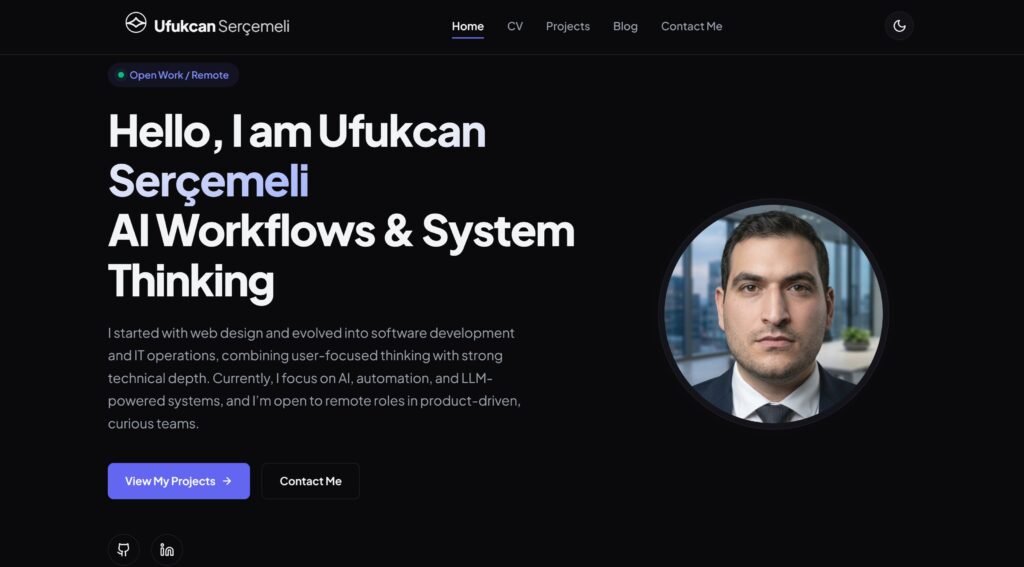
This is the first post on my personal website. I wanted to start by sharing
how this site is built, the technologies behind it, and the architectural
decisions I made along the way.
My main goal was to create a fast, minimal, and maintainable personal website
with a built-in CMS — without relying on heavy frameworks or complex
infrastructure.
Project Overview
This website is a single-page application (SPA) that also works as a
lightweight content management system. Everything you see on the site —
profile information, CV, projects, blog posts, and contact messages — is
editable through an admin panel.
The core principles behind this project were:
- Minimal dependencies
- Full control over data
- No client-side secrets
- Easy deployment and hosting
- Framework-free frontend
Tech Stack
Frontend
The frontend is built using plain HTML5, CSS3, and vanilla JavaScript.
There are no frameworks, no build steps, and no bundlers.
Routing, rendering, and CMS logic are all handled in JavaScript. This keeps
the site fast, transparent, and easy to debug.
Backend
The backend consists of a single PHP entry point that acts as a secure API
proxy. The browser never communicates with the database directly.
This layer is responsible for handling requests, injecting credentials, and
forwarding data safely.
Database
The database layer is powered by
:contentReference[oaicite:0]{index=0},
using PostgreSQL with JSONB support.
Instead of spreading data across multiple tables, the entire site state is
stored as a single structured JSON document. This makes backups, restores,
and migrations extremely simple.
Hosting
The site is hosted on
:contentReference[oaicite:1]{index=1},
serving static files alongside PHP through Apache.
This setup avoids unnecessary complexity while remaining flexible and
reliable.
Project Structure
The project follows a deliberately simple structure:
/
├── index.html   → Main HTML shell
├── style.css    → Design system and layout
├── app.js       → SPA router and CMS logic
├── api.php      → Secure PHP API proxy
├── .htaccess    → Routing and security rules
├── .env         → Environment variables (server-only)
└── sitemap.xml  → SEO
There is no build step. What you upload to the server is exactly what runs.
How the CMS Works
All CMS content lives inside a single JSON document stored in the database.
The frontend fetches and saves this document through a simple API.
Browser
  → /api/data
    → api.php
      → Supabase REST API
        → PostgreSQL (JSONB)
This approach keeps the system predictable, easy to back up, and easy to
reason about.
Security Decisions
Even though this is a personal site, security was a priority from the start.
- The database is never accessed directly from the browser
- Service role keys remain server-side
- Environment variables are blocked from public access
- Row Level Security is enabled with no public policies
- Admin access is password-protected
This ensures that sensitive information is never exposed, even if the
frontend code is inspected.
Why Vanilla JavaScript?
Frameworks are powerful, but they also introduce complexity and long-term
maintenance costs.
For this project, vanilla JavaScript provided everything I needed:
- No tooling or build overhead
- Instant page load
- Full control over rendering and state
- Long-term stability
Final Thoughts
This website is both my portfolio and my playground. It is intentionally
simple, but carefully structured.
I believe personal websites do not need to be complex — they need to be fast,
clear, and honest.
Future posts will go deeper into specific parts of the system, including the
SPA router, the admin panel, and SEO decisions.
Thanks for reading, and welcome to my corner of the web.